Patch Panel
Grab your box of cables - you'll definitely be needing them. Take input signals and cobble together a processing chain on your rack to make the right outputs!
This is a signal processing based puzzle game - the first 5 levels are fairly easy, the last couple really ramp up the difficulty, especially the final level.
Guide/Instructions
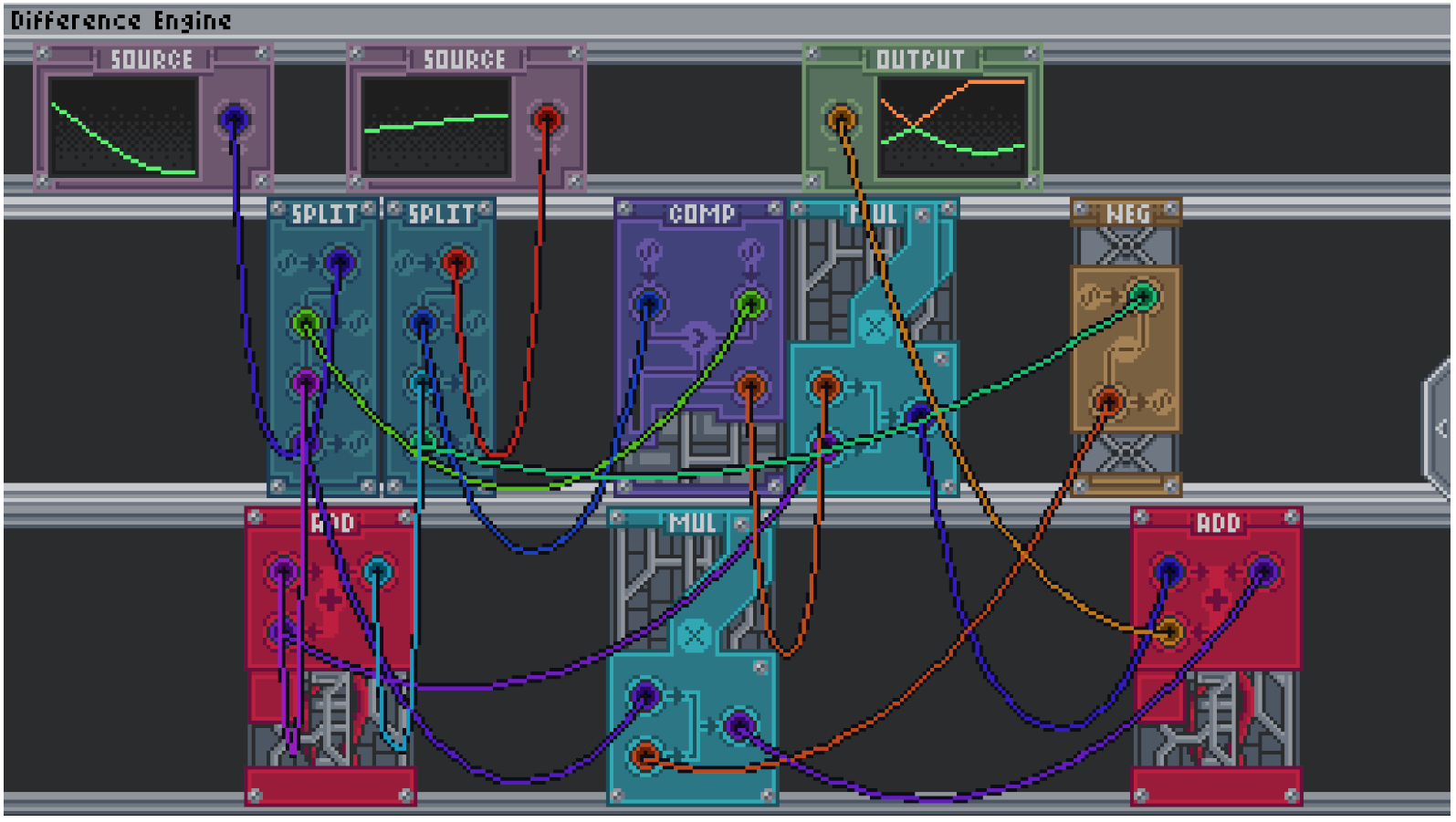
Each level has some amount of 'Source's, and some amount of 'Output's. Each source is an input signal displayed in green, and each output has a target signal in orange, and a current signal in green.
Your task is to wire together various modules from your toolbox to produce the target output signal from the inputs.
Your toolbox can be shown by hovering over the right hand side of the screen. Drag and drop modules or wires from the toolbox to place them on your rack. You can drag modules and wires to the bottom of your toolbox to remove them. For wires you can also just throw them off the screen to get rid of them.
Wires connect ports together on modules. Modules have input and output ports - which is which is generally clear based on the visuals of the module. Wires must connect input and output ports, and you cannot create loops (e.g. sending the output of a module back into its own inputs). If there is no connected wire to a port, it will receive a signal of 0 - this can sometimes be useful.
Modules
Splitter: The splitter can be used to take one input signal and split it across multiple ports. This is useful since a port can only fit one wire in it.
Adder: The adder allows you to add two signals together.
Negation: This allows you to flip a signal upside down (negate it).
Comp: The comparator takes in two signals, A, on the left, and B on the right. It outputs a signal of 1 if A > B, 0 if they are equal, and -1 if A < B. It can therefore be used to compare A and B.
Mul: This multiplies two signals together.
Tips
- If you want to see what the output signal of a module is, you can wire it up to an output to see the signal.
- For harder levels (especially the last one), it can be useful to figure out how the output is related to the input, and then try and break that down into smaller steps
- Concepts taught in earlier levels are often needed to be reused in later levels as part of the solution.
This game was made for Ludum Dare 59 with the theme "Signal": https://ldjam.com/events/ludum-dare/59/patch-panel
Tools Used
- Aseprite
- Ableton
- Audacity
- Unity
Download
Leave a comment
Log in with itch.io to leave a comment.